Posts

Showing posts with the label Google

Get your google data from the google cloud.

Image
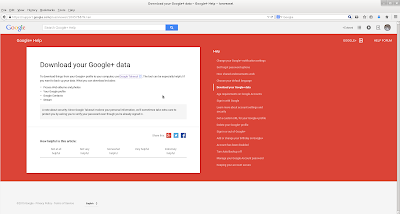
Get your google data such as pictures. email and etc. Just go to https://www.google.com/settings/takeout and then you can choose what to get. an archive will be created for you to download when the archive is finished, or you can wait and use the email they send you when the archive is done to go back and download the data.

Google chart example.

Image
Google chart example: #! /bin/bash TEMP=$(mktemp -t chart.XXXXX) QUERY1=36 QUERY2=64 cat > $TEMP <<EOF <html> <head> <!--Load the AJAX API--> <script type="text/javascript" src="https://www.google.com/jsapi"></script> <script type="text/javascript"> // Load the Visualization API and the piechart package. google.load('visualization', '1.0', {'packages':['corechart']}); // Set a callback to run when the Google Visualization API is loaded. google.setOnLoadCallback(drawChart); // Callback that creates and populates a data table, // instantiates the pie chart, passes in the data and // draws it. function drawChart() { // Create the data table. var data = new google.visualization.DataTable(); data.addColumn('string', 'Title'); data.addColumn('number', 'Value...
Net neutrality?

Image

It's raining, it's pouring, the old cloud is snoring.

Image

Nexus 7 - second thoughts.

Image
The Nexus seven is beginning to grow on me despite limitations I could easily get around with a linux box. Yes you can install linux on the touchpad, but it is still not a complete adaption last I heard. Then too, you lose the Android environment. Seems that more and more applications want you to root your system if you want to take advantage of their software. In someways that could be a deal breaker, Thought about getting a cheap tablet to experiment with that and keep the Nexus seven a bit more private. First project was to see if I could serve out a gpxe linux install from the Nexus 7.  It would be so neat to be able to start a linux install on a traditional pc from a tablet device. Already do this all the time from a regular server (see the last article). For some reason of the web servers I tried for the android they were not up to the challenge,  Disappointing, but not the end of the world. There are some plus sides to having the server, You can run html and javascript ...

App store not always required.

Image
Feel like App stores and epub sites have too much control over your commuting computing devices. Well you are not alone. That is the general feeling from all the people who have seen ebooks and or applications either locked down or mysteriously missing. You do not feel as if you own the touchpad or the like. Chances are the web browser on your touchpad, will never be tampered with except for being updated.  Too many local applications on your device can also clutter up storage space.  Picture  What can be another option. You can use your own web server, or lease on-line web space, or use a web hosting service to use your own web applications. In earlier articles, I have talked about how you can write your own progrems for web use. You can actually get quite a few web based applications that are open source from the likes of sourceforge.net and other sites if you do not want to reinvent the wheel. There are so many programs available, from cooking to advanced business...

Easy search.

Image
You can save yourself some time by adding a small code snippet to your web pages to access a web search engine without having to go to a search engine. This is good for your self made home pages like the following: For more information see: http://www.instructables.com/id/Reusing-web-pages/#step9 Have fun! Bonus: Easy Clock for your web page.     More information at :  http://www.instructables.com/id/Reusing-web-pages/step10/Add-a-clock/ Note: Javascript must be enabled.

Microblogging from the command line.

Image
With everything going gui-ish, why would I want to use the command line to micro-blog? Actually there are several reasons. Remember a computer is a robot without legs. First it is a way, remind yourself of certain things even if you are at a terminal where you have no rights to store information on that equipment. Just a matter of keeping twitter site open to receive the tweets if you are using twitter as your micro-blog. With at or chron, you can easily set up your computer to send your specific message or messages at a particular time. Secondly, you have the ability to use a low resource machine to do messaging tasks like capture tweets of other people for you to read later. Sort of a electronic secretary taking tweets like taking phone calls for you. You can even go a step further and do what is call automated web page scraping to get the information you need off the web without you having to go do that yourself. I have several web page scraping batch files that get the weath...

Microblogging from the command line.

Image
With everything going gui-ish, why would I want to use the command line to micro-blog? Actually there are several reasons. Remember a computer is a robot without legs. First it is a way, remind yourself of certain things even if you are at a terminal where you have no rights to store information on that equipment. Just a matter of keeping twitter site open to receive the tweets if you are using twitter as your micro-blog. With at or chron, you can easily set up your computer to send your specific message or messages at a particular time. Secondly, you have the ability to use a low resource machine to do messaging tasks like capture tweets of other people for you to read later. Sort of a electronic secretary taking tweets like taking phone calls for you. You can even go a step further and do what is call automated web page scraping to get the information you need off the web without you having to go do that yourself. I have several web page scraping batch files that get the weath...

Android development.

You can develop for the Android platform: Directly:      Android development kit      http://developer.android.com/sdk/android-4.0.html      http://phonegap.com/ Semi-directly:      Develop the app on the android using web languages.      http://ofps.oreilly.com/titles/9781449383268/      http://www.w3schools.com/ Indirectly: (requires use of a web server)      Develop regular web apps that the Andoid device can access.      http://www.instructables.com/id/Uses-for-your-own-private-cloud/      http://www.w3schools.com/

Using a simple Google API.

Preface: There is a computer programming language that is oriented towards new developers. That language is called Python. It is available for most every platform. (i.e. MSWindows, OS/X, BSD,. Linux and etc.  Though there are no fancy graphics in what was done in this project, you could surely add that feature. Just wanted to show a bare bones project that anyone could use to start with. One of the reasons I like to do page scraping is to get the data I need without having to take time to use a web browser such as Firefox and or a newsreader to get the specific data I need. Letting the computer get the data for me and making a summary file of the data I need is therefore letting the computer be my secretary and or research assistant. Have been doing some page scraping, but i was not able to get the weather from their (Google) site. Then read they have it sort of hidden. Was able to get a page of the xml they use to show the data. Aha!   Then found a short piece ...