Please keep your systems up to date! For linux depending on the distro: $ sudo apt-get update; sud apt-get upgrade $ sudo yum update; sudo yum, upgrade $ sudo pacman -Syu etc etc
Linux terminal server project lets you connect to multiple systems via rdp, vnc and etc. http://www.instructables.com/id/Another-almost-free-computers-thin-client-set-up/ http://www.instructables.com/id/Another-almost-free-computers-thin-client-set-up-P/ http://www.instructables.com/id/Part-III-LTSP-Maintenance/ http://www.instructables.com/id/Ltsp-clustering/
If you are not running ios8 according to ZDnet you could get malware just by plugging in your iphone to a hacked usb port. Details at: http://www.zdnet.com/researchers-reveal-how-to-hack-an-iphone-in-60-seconds-7000018822/ Also see: http://www.macrumors.com/2013/07/31/ios-7-beta-4-contains-fix-for-malicious-charger-hack /
If you are not running ios8 according to ZDnet you could get malware just by plugging in your iphone to a hacked usb port. Details at: http://www.zdnet.com/researchers-reveal-how-to-hack-an-iphone-in-60-seconds-7000018822/ Also see: http://www.macrumors.com/2013/07/31/ios-7-beta-4-contains-fix-for-malicious-charger-hack /
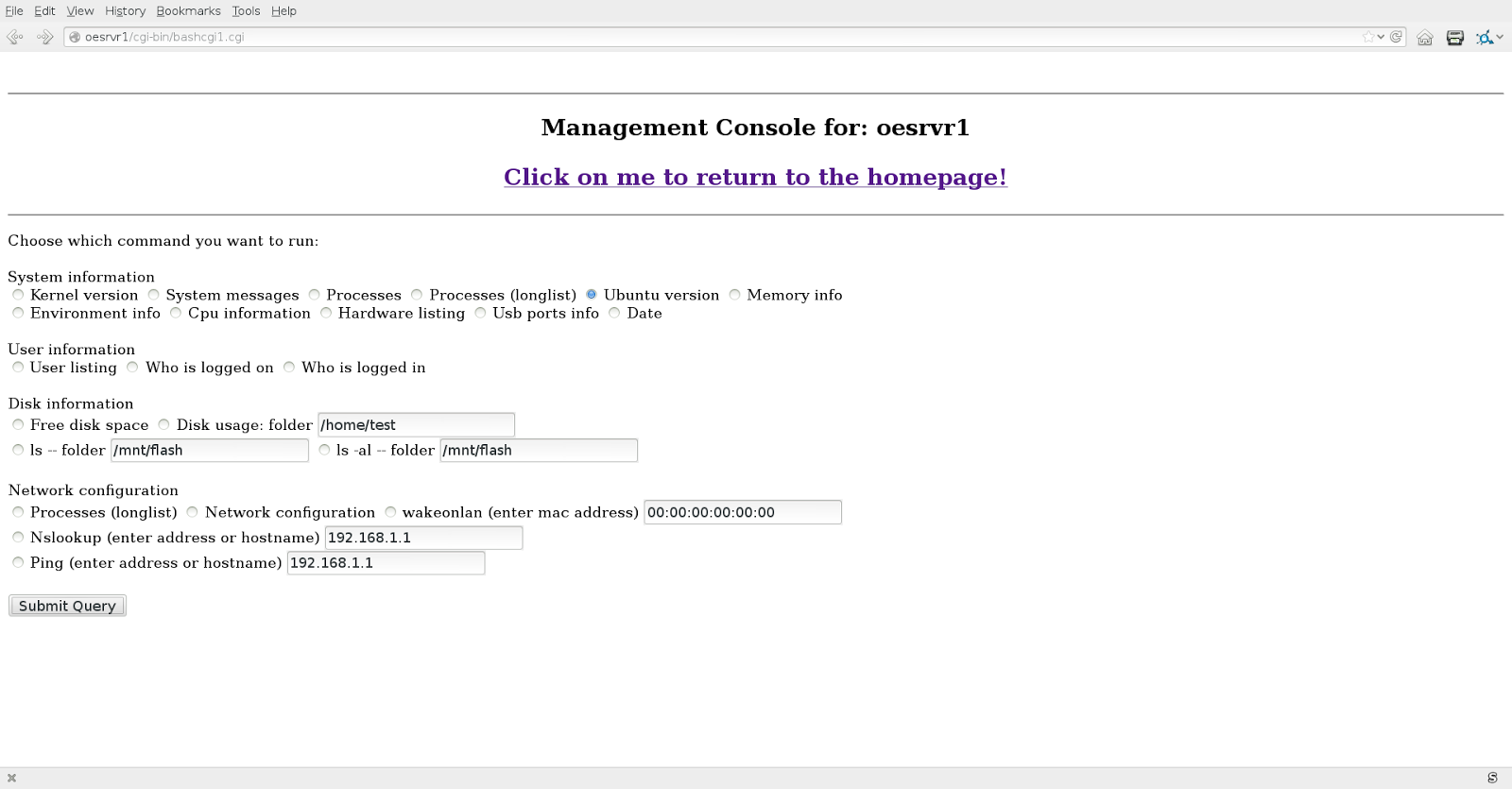
Wanted to have a no frills way to show what basic linux commands do without using or going to the command line. Slowly but surely the program is becoming more and more of a linux server monitoring tool. This is not the latest version, but you get the idea. This project is becoming more and more popular. Could easly be adapted for the bsd based Fruit operating. Sure it could be modified for the Microsoft based operating systems, but I will let someone else do that. Also sort of became a management tool for non linux professionals. for example you can get the amount of disk space available with a touch of two buttons. Letting management know when to budget for a larger hard drive. You may just want to know what version of the operating system you are running. Time to upgrade yet? Of course these menus are hidden from the public with only permissions for the appropriate personnel. To get more information about using this type of script see: http://www.instruc...
Wanted to have a no frills way to show what basic linux commands do without using or going to the command line. Slowly but surely the program is becoming more and more of a linux server monitoring tool. This is not the latest version, but you get the idea. This project is becoming more and more popular. Could easly be adapted for the bsd based Fruit operating. Sure it could be modified for the Microsoft based operating systems, but I will let someone else do that. Also sort of became a management tool for non linux professionals. for example you can get the amount of disk space available with a touch of two buttons. Letting management know when to budget for a larger hard drive. You may just want to know what version of the operating system you are running. Time to upgrade yet? Of course these menus are hidden from the public with only permissions for the appropriate personnel. To get more information about using this type of script see: ...
Was not so long ago that when you bought a piece of software, you had to agree to the license, The license was sealed in the package the software came in. To furthermore complicate the sale, written on the outside of the package had a notice that if you opened the package it was not returnable. These were known as shrink wrap agreements. The public who thought this was unreasonable quit purchasing software. The industry claimed it was because people were illegally copying the software. Though that might have been partially true. The real reason for the sales slump was that you could get what was known as freeware that in a lot of cases was as good as the commercial products. Freeware did not have shrinkwrap agreements. The public took the industry to court and had the shrinkwrap agreements invalidated and even made illegal in a way. At the same time, software known as word processors (aka electronic typewriters) were very popular software. The only problem was that if you created a doc...
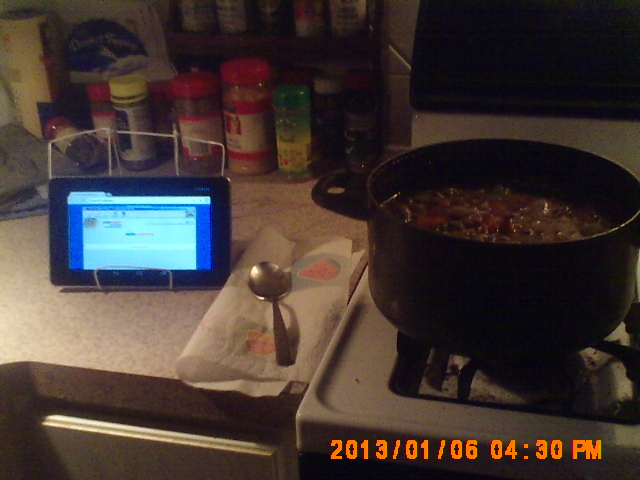
Have had a chance to play with the Google Nexus 7 that runs Android (I think was built by Asus ) for little over a month now. Generally have a good thoughts about it though there are just a few reservations which I may discuss later. Since the unit has been out a while, you probably already know the specifications of the unit (you can use you web search engine to get the details if you have not.) I was lucky enought the get the 32 gigabyte version of the unit. Getting anything less than that could make real challenges for you. What was the first thing I added to the unit. first was some experimentation with some home made stands. Even the dollar store had a plastic stand. I based one of my experimental stands off of it. The main reason why I wanted the unit was to see how web applications work with touchpads and maybe also develop some software for the unit. Found out right way that the touchpads react differently than t...
Feel like App stores and epub sites have too much control over your commuting computing devices. Well you are not alone. That is the general feeling from all the people who have seen ebooks and or applications either locked down or mysteriously missing. You do not feel as if you own the touchpad or the like. Chances are the web browser on your touchpad, will never be tampered with except for being updated. Too many local applications on your device can also clutter up storage space. Picture What can be another option. You can use your own web server, or lease on-line web space, or use a web hosting service to use your own web applications. In earlier articles, I have talked about how you can write your own progrems for web use. You can actually get quite a few web based applications that are open source from the likes of sourceforge.net and other sites if you do not want to reinvent the wheel. There are so many programs available, from cooking to advanced business...
Does Apple no longer want to support your good old Apple Macintosh? The machine is still good, but it pretty much sits in the corner? Well if you are open to new options, you can put that old system back to work with more up to date software than the old OS/X. Enter Mint PPC which is a linux distribution. Linux is a cousin to the BSD operating system that OS/X is based on. You can get native BSD for the ppc mac also. Very user friendly, though you might have to learn at least a little bit new. You can even update the desktop so it looks like the traditional desktop. Had some old Macs myself that have since gone to a better place. I ran Ubuntu and Debian Linux on G3's quite well. In fact, you can get what is known as a live cd and try Linux without even installing it. Check it out! For more information see: http://mintppc.org/ http://www.debian.org/ports/powerpc/ https://fedoraproject.org/wiki/Architectures/PowerPC https://wiki.ubuntu.com/PowerPC
Update: Allegedly Apple allegedly now has a fix available. How to check for—and get rid of—a Mac Flashback infection http://arstechnica.com/apple/news/2012/04/how-to-check-forand-get-rid-ofa-mac-flashback-infection.ars?utm_source=rss&utm_medium=rss&utm_campaign=rss Also see: http://support.apple.com/kb/DL1517
With everything going gui-ish, why would I want to use the command line to micro-blog? Actually there are several reasons. Remember a computer is a robot without legs. First it is a way, remind yourself of certain things even if you are at a terminal where you have no rights to store information on that equipment. Just a matter of keeping twitter site open to receive the tweets if you are using twitter as your micro-blog. With at or chron, you can easily set up your computer to send your specific message or messages at a particular time. Secondly, you have the ability to use a low resource machine to do messaging tasks like capture tweets of other people for you to read later. Sort of a electronic secretary taking tweets like taking phone calls for you. You can even go a step further and do what is call automated web page scraping to get the information you need off the web without you having to go do that yourself. I have several web page scraping batch files that get the weath...
With everything going gui-ish, why would I want to use the command line to micro-blog? Actually there are several reasons. Remember a computer is a robot without legs. First it is a way, remind yourself of certain things even if you are at a terminal where you have no rights to store information on that equipment. Just a matter of keeping twitter site open to receive the tweets if you are using twitter as your micro-blog. With at or chron, you can easily set up your computer to send your specific message or messages at a particular time. Secondly, you have the ability to use a low resource machine to do messaging tasks like capture tweets of other people for you to read later. Sort of a electronic secretary taking tweets like taking phone calls for you. You can even go a step further and do what is call automated web page scraping to get the information you need off the web without you having to go do that yourself. I have several web page scraping batch files that get the weath...
To be honest, I do not spend that much time on Unix history. You could probably get a better idea of the history at: http://www.robotwisdom.com/linux/timeline.html or www.groklaw.net Android was originally very loosely based on Linux at it's start. Now who knows. What is ironic is that Microsoft according to news reports allegedly earns almost a half billion dollars each year off of Android with their alleged software patents. Not so long ago A company called SCO claimed ownership of Unix via Novell and also claimed that Linux was directly a copy of unix. That assertion was clearly rebuked by the courts. SCO now allegedly in bankruptcy still wants to assert the same argument. They are still in Court with IBM over that assertion. www.groklaw.net has all the details. See also www.eff.org . Linux was developed by Linux Torvalds who still has a great say in how linux is developed. Since it is a free as in speech operating system, many derivatives have been developed. In fact, if you ...
What happens when computer people get together much like old car talk. What's in you machine? You want to say more than I don's know. The newest devices such as the touchpads, some netbooks, and etc. today are pretty much unfortunately throwaways. As for desktop computers, at least for a while you can upgrade them. It is very useful to know what equipment and and in some cases what software is on the inside. For insurance purposes, you would be well advised to have such a list tucked away in a safe deposit box or where ever. So I went on a little research expedition to find out what might be used to find out what is in my computer. OS/X: (textedit to view) You can go to the system profiler and output a text list of the hardware. More info at: http://www.intego.com/services/systemProfiler.html and http://macosx.com/forums/howto-faqs/26204-howto-list-your-installed-applications.html Microsoft windows: (notepad to view) A script for older systems: http://richardspowe...
The basis of this article is based on the dialog from the movie known as "The hunt for the Red October". In the movie, one of the key lines was I think "One ping and one ping only". Pinging was a method by submarines equipped with sonar to detect what is around them. Normally you would use more than one ping. In computing we also have a program called ping that does the same thing to detect what is around on the network. There is a very powerful program called nmap that usually automates such activity. That usually takes some kind of administrative power to implement. We will be using a simple linux batch file (could be easily converted to other platforms) to detect what is around us. This tool is perfect for the home network. It will probably not detect what is known as "Man in the middle devices", but at least you can see the visible systems on your network. The code. ping.sh: (do not forget "chmod +x ping.sh) [code] for i in {1..254} do pin...
Wanted a no fee and a bit more basic introduction to web programming, So I deleted the previous article. Hopefully this one is free all the way through. If you are using linux, you can certainly use, gedit, nano, or vim to create a file for the video. They default to the ascii format automatically. These videos use the old style html programming, but it is still a good start. The intro video: Second video: Later.