Posts

Showing posts with the label bash

Odds and ends.

1. What is their ip? $ ./getipinfo.sh walmart.com Getting information for domain: walmart.com [ 161.170.244.20 ]... NetRange:       161.163.0.0 - 161.177.255.255 OriginAS:       AS32851 OrgName:        Wal-Mart Stores, Inc. City:           Bentonville Country:        US NetRange:       161.170.0.0 - 161.170.255.255 OriginAS:       OrgName:        Wal-Mart Stores, Inc. City:           Bentonville Country:        US [code]     #!/bin/bash     # A sample shell script to print domain ip address hosting information such as     # Location of server, city, ip address owner, cou...

Beginning graphing

Image
One of the simplest graphs I have seen can be done in bash. You will need a data file and a one line executable to extract the data from the file and then display it. data: Irene     10 Karen     37 Andreas   41 Beatrice  23 Code: SCALE=1; WIDTHL=10; WIDTHR=60; BAR="12345678"; BAR="${BAR//?/==========}"; while read LEFT RIGHT rest ; do RIGHT=$((RIGHT/SCALE)); printf "%${WIDTHL}s: %-${WIDTHR}s\n" "${LEFT:0:$WIDTHL}" "|${BAR:0:$RIGHT}*"; done < data Result:    Irene: |==========*                                                  Karen: |=====================================*                ...

Dec 2 hex.

Image
if you wanted to convert a decimal number to a hexadecimal number, you can do it several ways. first you could do it the old fashion way by hand. or you could use a C language program such as: [code]   #include<stdio.h> int main(){     long int decimalNumber,remainder,quotient;     int i=1,j,temp;     char hexadecimalNumber[100];     printf("Enter any decimal number: ");     scanf("%ld",&decimalNumber);     quotient = decimalNumber;     while(quotient!=0){          temp = quotient % 16;       //To convert integer into character       if( temp < 10)            temp =temp + 48;       else          temp = temp + 55;     ...

Weather pic to ascii

Image
Yet another weather picture grabber and the the picture is converted to ascii. Note: Also see http://www.instructables.com/id/Radar-graphics-in-a-text-world/ #!/bin/bash #Set variables DOWNLOAD_DIR=/tmp/weather/ WEATHER_GIF=http://archive.wfaa.com/weather/images/core/animated-loops/comp/880x495/new_tarrant.gif COUNTER=0 #check for  download directory if [ ! -d "$DOWNLOAD_DIR" ]; then   mkdir -p $DOWNLOAD_DIR fi #remove old files rm  $DOWNLOAD_DIR/*gif rm  $DOWNLOAD_DIR/*.png rm  $DOWNLOAD_DIR/*.txt #get weather gif wget $WEATHER_GIF -O "${DOWNLOAD_DIR}map.gif" #extract gif to png convert -coalesce "${DOWNLOAD_DIR}/map.gif" "${DOWNLOAD_DIR}/map.png" #convert images to text for i in $DOWNLOAD_DIR/map-*; do    img2txt -f utf8 -W 100 -H 30 $i > $i.txt done #display images while [ $COUNTER -lt 5 ] ; do   for i in $DOWNLOAD_DIR/map-*.txt; do      printf '\033[1;1H'   ...

Replacement script.

Image
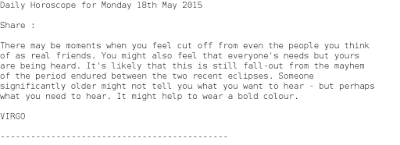
Look at astrology as an intellectual cartoon and an insight into human thinking. So I will peek at it once in a while. Also gave a chance to play with page scraping again. $ ./horoscope.sh Virgo Daily Horoscope for Tuesday 19th May 2015 Share : Through friends of someone close, you could learn more about their background. This extra information, particularly if it's related to how they acquired their qualifications, and the friendships they made en route, may not be something you wish to discuss with others, but might go some way towards explaining why they are pulled towards certain geographical locations. This might even impact on decisions being taken now for travel in a couple of months time. VIRGO --------------------------------------------- Wrote a script to pull the daily horoscope for a particular sign. The site we are getting the data from has changed. So that led me to go to another site for the time being. Actually it seems a blessing in dis...

Firewall scripts.

Image
Use any of this information at you own risk. Basics The essence of security is simplicity, and when it comes to workstation or small-office Linux firewalls I have always been a fan of direct iptables use over some of the more popular alternatives ([g]ufw, fwbuilder). While they may be easier to use, they also hide a lot of the details. Especially when you are starting to learn about firewalls and network security, I believe you are better served using customizable firewall scripts like the two I detail below. When you get comfortable with iptables and networking concepts, then you can look to some of the other solutions. At that point, you'll fully understand what they are doing under the hood. Iptables Scripts The first aptly-named shell script, 'firewall.sh', is meant to protect a SOHO (Small Office / Home Office) or home office network behind a dual-homed (two interface) firewall. It doesn't support DMZ hosts, but does support the most common ...

Zenity.

Image
Many programming languages have some way of coding a graphical interface. Some languages like Python have special bindings (PyGTK, PYQT, etc.) and others, like Visual Basic, have their own commands for designing GUIs. As a result, many shell-script writers probably wish there were something like that for shell scripts. Well, there is a special way to code a GUI for scripts in the script itself. A special program called "Zenity" can be used in scripts to make GTK+-based windows. Zenity is used like other commands in a script with parameters and such. NOTE: Readers should have an understanding of shell scripting to fully grasp this article. Although, knowing how to script is not entirely necessary. Obviously, the script writer would make a script as usual. Now, the programmer can add Zenity commands or replace echo and read commands with windows that perform the same function. The basic usage of Zenity is like this - zenity --info --text="Something import...